Cessna 172P
 | |
|---|---|
 | |
 | |
| Type | Civil aircraft, Civil utility aircraft, Glider tug |
| Configuration | High wing aircraft, Fixed gear aircraft |
| Propulsion | Propeller aircraft, Single-engine aircraft |
| Manufacturer | Cessna |
| Author(s) |
|
| FDM | JSBSim |
| --aircraft= | c172p |
| Status | Advanced production |
| FDM |
 |
| Systems |
|
| Cockpit |
|
| Model |
|
| Supports |
  |
| Development | |
| Repository |
 |
| Download |
 |
| Liveries |
 |
| Forum |
 |
| Wikipedia |
Cessna 172  |
|
| |
The Cessna 172P Skyhawk is a four-seat, single-engine, high-wing fixed-wing aircraft. First flown in 1955 and still in production, more Cessna 172s have been built than any other aircraft.
The Cessna 172 has been the default aircraft in FlightGear since 2000, when it replaced the Navion. It has had a long development and includes a wide variety of simulation features. In 2015, it went through a complete refresh, including engine options, various tire sizes and floats, as well as a complete cockpit texture makeover. This new detailed version of the plane has become the default aircraft.
Features
The C172p has a 3D model and is fully textured (including the interior). All the switches in the cockpit are clickable. It also has an detailed FDM (Flight Dynamics Model - the "physics" of the plane), more complex procedures and realistic checklists, and damage modelling. The aircraft can get damaged if mishandled (e.g. gear collapse after a hard landing).

The aircraft currently has five variants, all available from the aircraft page:
- regular wheels
- 26" bush tires
- 36" bush tires
- pontoons
- amphibious
- snow skis
Also, from the same page, the user can select two different engines:
- 160 HP
- 180 HP (recommended when using pontoons, amphibian and skis variants)
The aircraft can get damaged from collisions, crashes, hard landings or overload while in-flight, and the modelling includes wheel collapse, wings breaking, etc. The damage can be turned off in the aircraft menu, which also contains an option for repairing the aircraft.
The windows can get foggy or frosty, depending on the combination of interior and exterior temperatures. The pilot must then use the Cabin Heat and Cabin Air levers (on the right of the flaps) to control it. Alternatively, it's possible to disable the effect in the "Aircraft Options" in the "Cessna 172P" menu. This effect depends on the ALS (Atmospheric Light Scattering) effects.
The FDM allows the aircraft to enter a spin in the event of an asymmetric stall (a particularly dangerous condition when turning onto final, where the aircraft is at low speed and low altitude). The FDM also includes hydrodynamic effects during takeoffs and landings on water.
There are several liveries available, some of which have higher resolution than others, which are marked as HD in the liveries menu. HD liveries also have unique cockpit and interior textures.
The aircraft has a simulation of the Bendix/King KAP140 Autopilot.
Also, if ALS (Atmospheric Light Scattering) is enabled, then it's possible to activate the flashlight by clicking on the "Cessna 172P" menu and selecting "Flashlight". Select it once for the white flashlight, select it again for a red one and select it one more time to turn it off.
The aircraft can go through a pre-flight: wheel chocks, tie-downs and the pitot tube cover can be added or removed, oil management and fuel contamination by water have been implemented.
Carburettor icing is also modelled. Accumulating carburettor ice will result in loss of power. Applying carb heat will help to melt it. If the engine starts to cough when carb heat is applied, it means that ice has indeed been accumulated in the carburettor and now is being melted. To reduce a cough during the melting process, one can lean the mixture.
Static objects can be toggled in the Ground Equipment dialogue. These include cones under the wings, a fuel truck, a ground power unit and ladders. The ground power can be used to recharge the battery and the fuel truck can be used to refuelling the tanks. The walker can climb the ladder by walking towards it, which makes it easy to access the fuel tank cap in order to refill it.

Handling The Aircraft
Pre-Flight Inspection

It's recommended to use any exterior view or activate the walker for these procedures.
- Fuel quantity: add by clicking on the fuel tank caps above each wing (you can add a ladder in the Ground Equipment dialog and climb it with the walker as well)
- Left wing: remove tie-down
- Left wing: remove pitot tube cover
- Left wing: check for fuel contamination by clicking under the wing and take a fuel sample. If the sample is light blue, the fuel is not contaminated and can be returned to the tank. If the sample is transparent or partially transparent, you must discard it and take new samples until they are completely light blue
- Tail: remove tie-down
- Right wing: remove tie-down
- Right wing: check for fuel contamination
- Nose: check for oil quantity by clicking on the oil door in the nose. Critical oil level for either engine is 5.0 quarts.
- Nose: remove wheel chocks
Engine Start (automatically with Autostart)
- Click on the menu "Cessna C172P" and select "Autostart" in order to start the plane. Please note that the Autostart attempts to start the engine with the mixture full rich, so if you are taking off from a very high altitude airport you may need to manually start the plane.
Engine Start (manual startup)

- Priming: prime the engine at least 3 times
- Mixture: Rich (red lever all the way in)
- Throttle: Open 1/8 (black lever at 20%)
- Parking Brake: Applied (⇧ Shift+B)
- Prop Area: Clear
- Master switch: ON (both)
- Magnetos: Both (Press } three times)
- Ignition: Start (S)
Takeoff

- no flaps
- full throttle
- rotate at 55 KIAS
Climbout
- no flaps
- full throttle
- 75 KIAS
Cruise
- throttle 65%
- mixture rich of peak
- speed around 100 knots
Landing

- full flaps
- 60 KIAS
Airspeeds
- See also Aircraft speed#V speeds
The information in this section is based on external resources.[1][2][3]

| Airspeed | CAS |
|---|---|
| Stall speed, landing configuration, VS0 | 46 - 48 kt |
| Stall speed, clean, VS1 | 51 - 53 kt |
| Rotation speed, VR | 55 kt |
| Best angle of climb speed, VX | 59 kt |
| Best rate of climb speed, VY | 76 kt |
| Maximum flap extended speed, VFE | 85 kt |
| Maneuvering speed, VA | 96 kt (floatplane) |
| 99 kt (landplane) | |
| Maximum structural cruising speed, VNO | 127 kt |
| Never exceed speed, VNE | 158 kt |
FAQ
|
|

Development
This aircraft is undergoing a constant development, which can be followed on its repository, where a list of issues and future enhancements can also be found.
Gallery
 |
There is a category with screenshots of the Cessna 172. |
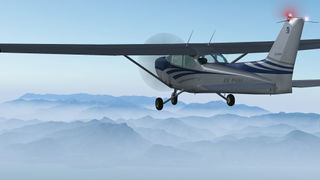
Cessna 172P high over Italy
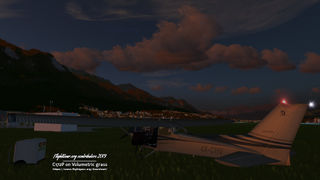
Cessna 172P with equipment resting on volumetric grass
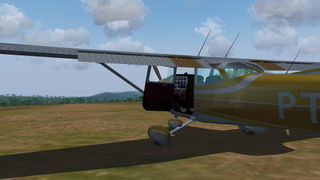
PT-IAO on a soft dirt runway
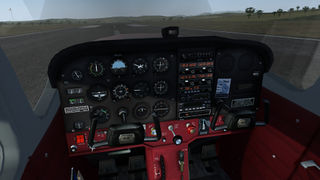
Panel view, about to take off
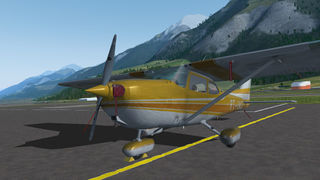
Parked and secured
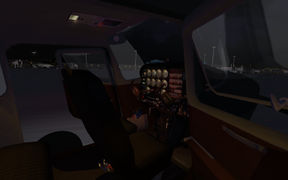
Night lighting effects
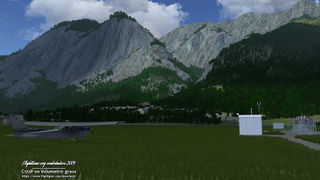
C172P resting on 2 types of volumetric grass
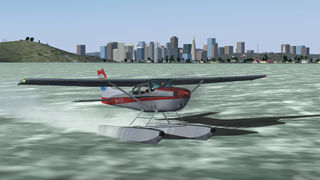
Float variant taking off
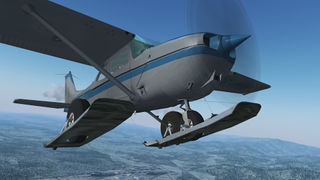
Ski variant over Freiburg
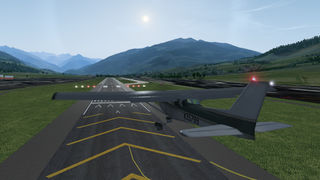
About to land at Aosta Airport
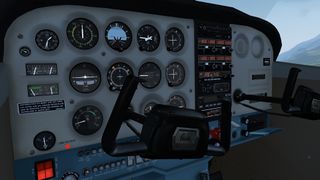
Panel close-up
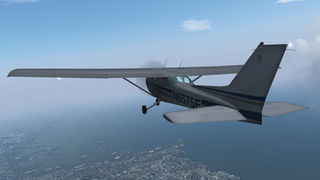
Hazy day over Naples
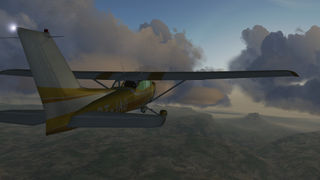
Sightseeing at Chapada Diamantina
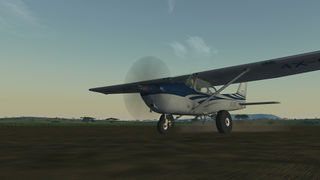
Bush take off
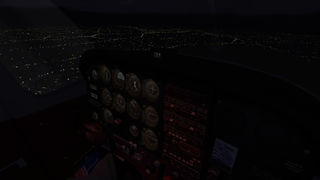
Night flight with dimmed post lights
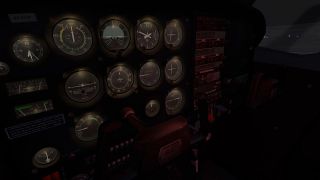
Full post lighting
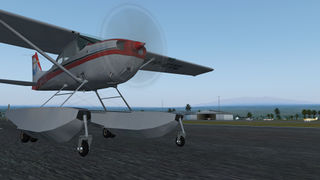
Amphibian variant at Hawaii
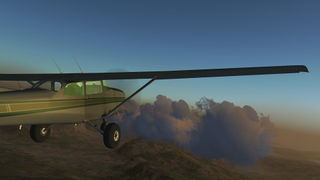
Bush variant
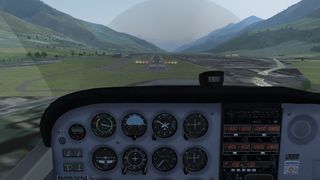
About to land
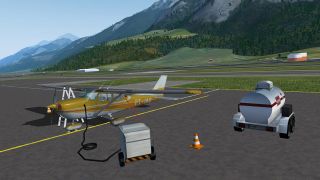
PT-IAO with ground objects
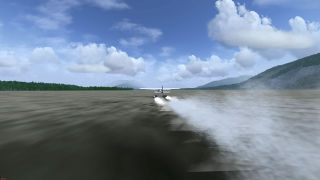
Taking off on water, showing the particle system
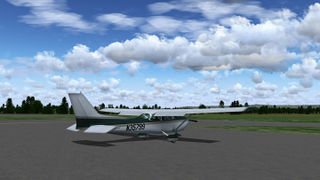
N35799 livery parked at Camden Airport (YSCN)
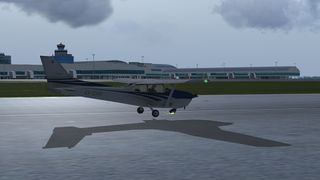
Gear collapse due to heavy landing
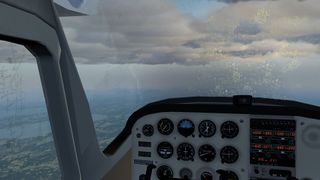
If the conditions are just right, frost or fog will appear in the windows
.jpg)


External links
References
|
| ||||||||